Last updated: October 5, 2026 · By Ankur Saini
There are many AI coding assistants in 2026, and most of them look similar. Almost all of them can write code, fix bugs and edit many files for you. Most also cost about $20 a month.
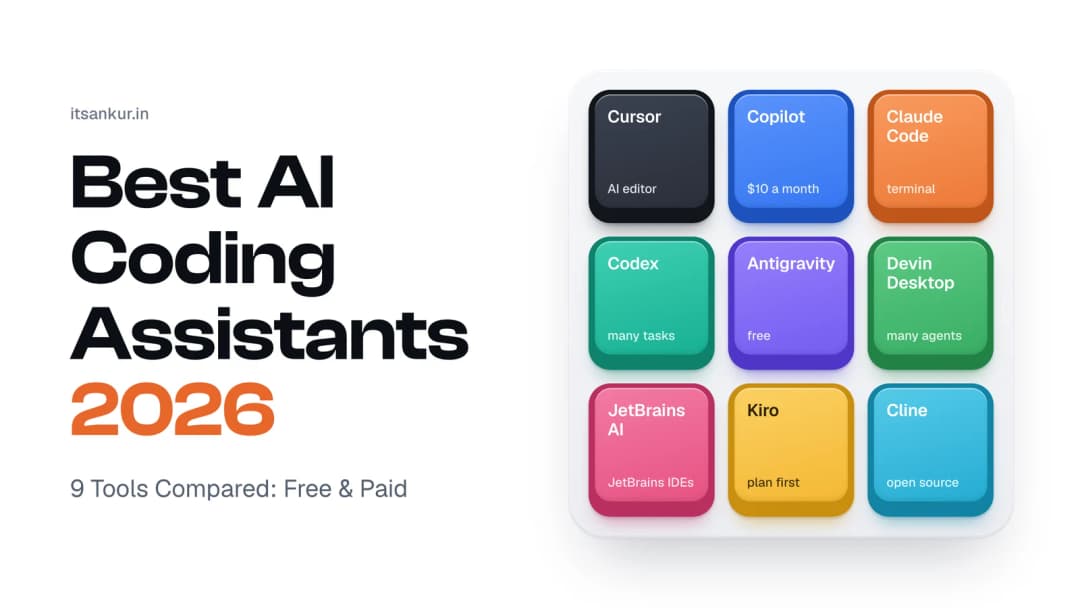
So how do you pick one? This guide explains the 9 best AI coding assistants in simple words: what each one does, what it costs, and who it's good for. They are grouped by what they do best, not ranked from best to worst, because the right choice depends on how you like to work.
Quick summary
- Most AI coding assistants cost $20 a month. GitHub Copilot is the cheapest paid one at $10.
- The best free options are Google Antigravity, GitHub Copilot Free and Cline.
- Pick based on where you write code: in a code editor, in your current editor with a plugin, or in the terminal.
- Most tools now limit how much you can use each month, so heavy use can cost more than the plan price.
The best AI coding assistant for each need
| If you want… | Pick this | Price starts at |
|---|---|---|
| An AI-powered code editor | Cursor | Free, or $20/month |
| The cheapest paid option | GitHub Copilot | Free, or $10/month |
| An AI that handles big tasks in the terminal | Claude Code | $20/month |
| An AI that works on many tasks at once | OpenAI Codex | Free, or $20/month |
| The best free option | Google Antigravity | Free |
| To manage many AI agents at once | Devin Desktop (formerly Windsurf) | Free, or $20/month |
| AI inside IntelliJ, PyCharm or WebStorm | JetBrains AI (Junie) | Free, or $10/month |
| AI that plans before it codes | Kiro | Free, or $20/month |
| A free, open-source tool | Cline | Free |
What is an AI coding assistant?
An AI coding assistant is a tool that helps you write code using artificial intelligence. You can ask it questions, let it suggest code as you type, or give it a whole task to do.
There are three main kinds:
- AI code editors. A complete code editor with AI built in. Examples: Cursor, Devin Desktop, Antigravity, Kiro.
- Plugins. These add AI to the editor you already use, like VS Code or IntelliJ. Examples: GitHub Copilot, JetBrains AI, Cline.
- Terminal tools. You type what you want in the terminal, and the AI does the work. Examples: Claude Code, Codex.
Most of these tools also have an agent mode. This means you can give the AI a goal, like "add a login page", and it will plan the work, edit the files, run the tests and tell you when it's done.
Price comparison
| Tool | Free plan | Starter plan | Plans for heavy use |
|---|---|---|---|
| Cursor | Yes (limited) | $20/month | $60, $200 |
| GitHub Copilot | Yes | $10/month | $39, $100 |
| Claude Code | No | $20/month | $100, $200 |
| OpenAI Codex | Yes (limited) | $20/month | $100, $200 |
| Google Antigravity | Yes | $19.99/month | From $99.99 |
| Devin Desktop | Yes (limited) | $20/month | $200 |
| JetBrains AI | Yes (limited) | $10/month | $30 |
| Kiro | Yes (50 credits) | $20/month | $40 to $200 |
| Cline | Yes | Pay only for the AI you use | — |
Prices are for individual plans, checked in early October 2026. Prices change often, so check the official website before you buy. Sources are listed at the end.
The 9 best AI coding assistants in 2026
1. Cursor: best AI code editor
What it is: Cursor is a code editor with AI built into everything. It looks and works like VS Code, so your settings and extensions still work. It suggests code as you type and can make changes across many files at once.
Price: Free plan with limits. Pro is $20/month, Pro+ is $60 and Ultra is $200. Team plans start at $40 per person (Coworker).
Good for: people who like working in a visual editor and seeing every change before accepting it.
Keep in mind: if you use the most powerful AI models a lot, your monthly allowance runs out faster. Cursor says people who use the agent every day usually spend $60 to $100 a month in total (Developers Digest).
2. GitHub Copilot: best value
What it is: GitHub Copilot is the most popular AI coding assistant. It works inside VS Code, JetBrains editors and Neovim. Because it's made by GitHub, it understands your issues and pull requests.
Price: Free gives you 2,000 code suggestions a month. Pro is $10/month, Pro+ is $39 and Max is $100. For companies, it's $19 or $39 per person (Developers Digest).
Good for: teams that use GitHub, and anyone who wants a good tool at the lowest price.
Nice extra: the $10 Pro plan now lets you use Claude Code and Codex inside Copilot too.
Keep in mind: since June 2026, Copilot gives you a monthly budget of "AI credits". Using the strongest models uses up these credits faster (NoCode MBA).
3. Claude Code: best for big tasks in the terminal
What it is: Claude Code is Anthropic's coding tool. It works in the terminal, in VS Code and JetBrains, in a desktop app and on the web. It reads your project, makes a plan, edits files and runs tests. It's built for big jobs, like reorganising a large codebase.
Price: There's no free plan. Pro is $20/month, and Max is $100 or $200 for more usage (Fello AI).
Good for: developers who are comfortable in the terminal and want to customise how the AI works.
Nice extra: a "plan mode" shows you what it plans to do before it changes any code.
Keep in mind: on the $20 plan, long sessions can hit the usage limit. People who use it all day usually move to a Max plan.
4. OpenAI Codex: best for many tasks at once
What it is: OpenAI Codex comes with ChatGPT plans. You can use it in the terminal, in your editor, on the web, on iPhone or in the ChatGPT desktop app. Its best feature is that you can give it several tasks at once. Each task runs separately, and you review the results later.
Price: You can try it on ChatGPT Free or Go ($8/month). Plus is $20/month and includes the full version. Pro is $100 or $200 for more usage (Developers Digest).
Good for: people who already pay for ChatGPT, and anyone with a list of small, separate tasks.
Keep in mind: the most powerful model, GPT-6 Astra, uses your limit much faster. The standard model, GPT-6 Sol, is better for everyday work (Morph).
Can't decide between Claude Code and Codex? Read our Codex vs Claude Code comparison.
5. Google Antigravity: best free option
What it is: Google Antigravity is Google's AI coding platform. It includes a code editor, a terminal tool, and a place to manage AI agents that do tasks for you. It has the most generous free plan in this list.
Price: The free plan includes unlimited code suggestions and a weekly limit for agent tasks. You also get strong models from Google and Anthropic. For higher limits, Google AI Pro is $19.99/month and Ultra starts at $99.99 (Developers Digest).
Good for: students, beginners and anyone who doesn't want to pay.
Good to know: Google's older tool, Gemini CLI, stopped working for free and personal accounts on June 18, 2026. The Antigravity CLI replaced it for free (CloudZero).
Keep in mind: Google has reduced the free limits a few times, and you can't use your own AI models with it.
6. Devin Desktop (formerly Windsurf): best for managing many agents
What it is: Windsurf has a new name: Devin Desktop. The company Cognition bought Windsurf in 2025 and renamed it on June 2, 2026. Existing users got the change automatically, with all their settings kept (Continuum). It's now built around a dashboard where you can run and watch several AI agents at once.
Price: Free plan with a small daily limit and unlimited code suggestions. Pro is $20/month and Max is $200 (CloudZero).
Good for: developers who want several AI agents working on different things at the same time.
Keep in mind: many online guides still call it Windsurf, so information you find may be out of date.
7. JetBrains AI (Junie): best for JetBrains users
What it is: JetBrains AI is built into JetBrains editors like IntelliJ IDEA, PyCharm and WebStorm. It includes an AI chat, code suggestions and Junie, an agent that can make changes across many files and run tests.
Price: A free plan covers basic code suggestions. AI Pro is $10/month and AI Ultimate is $30/month (AltAI).
Good for: developers who already use a JetBrains editor and don't want to switch.
Keep in mind: if you use Junie a lot, the $10 plan's credits can run out in about a week.
8. Kiro: best for planning before coding
What it is: Kiro is a code editor made by Amazon Web Services (AWS). Most tools start writing code straight away. Kiro first writes a short plan: what to build, how to build it, and a list of steps. Then it writes the code by following that plan.
Price: Free with 50 credits a month. Pro is $20 (1,000 credits), and bigger plans go from $40 up to $200 (Morph).
Good for: teams that want clear, documented code, and teams that already use AWS.
Keep in mind: building a full feature this way can use a lot of credits, so watch your usage in the first few weeks.
9. Cline: best free, open-source tool
What it is: Cline is a free, open-source coding agent. Open source means anyone can see and check its code. It works in VS Code, JetBrains editors, the terminal and a desktop app.
How you pay: Cline itself is free. You connect your own account with an AI company like Anthropic, OpenAI or Google and pay them only for what you use. You can also run free AI models on your own computer and pay nothing (Developers Digest).
Good for: developers who want full control over cost and privacy.
Keep in mind: heavy use with a strong model can cost about $20 to $50 a month. Set a spending limit with your AI provider.
Best free AI coding assistants
Don't want to pay? These are the best free options:
- Google Antigravity: the strongest free plan overall.
- GitHub Copilot Free: 2,000 code suggestions a month in your usual editor.
- Cline: completely free if you run AI models on your own computer.
- Devin Desktop Free: unlimited code suggestions and a small daily limit for agent tasks.
- Cursor and Kiro free plans: good for trying them out, but too limited for daily work.
Simple free setup: use Antigravity for bigger tasks and Copilot Free for suggestions as you type.
How to choose the right one
- Think about where you write code. Use VS Code? Try Cursor or Copilot. Use IntelliJ or PyCharm? Try JetBrains AI. Like the terminal? Try Claude Code or Codex.
- Check what you already pay for. ChatGPT Plus already includes Codex. Google AI Pro gives you more Antigravity usage.
- Start free or with a $20 plan. Only upgrade if you keep hitting the limit.
- Be careful with the strongest models. They use up your monthly limit much faster.
- For teams, compare price per person. Copilot is the cheapest at $19 per person. Cursor and Devin Desktop start at around $40.
- Test with your own code. Give two tools the same task and see which one needs fewer corrections.
How we compared these tools
We looked at five simple things for each tool: how easy it is to fit into your work, which AI models you get, how good the free plan is, how clear the pricing is, and what it offers for teams. Prices come from official websites and pricing trackers, checked in late September and early October 2026.
Frequently asked questions
Which is the best AI coding assistant in 2026?
There is no single best one. Cursor is the best AI code editor, GitHub Copilot is the best value at $10/month, Claude Code and Codex are the best terminal tools, and Google Antigravity has the best free plan.
Which AI coding assistant is free?
Google Antigravity has the best free plan. GitHub Copilot Free gives 2,000 code suggestions a month. Cline is free if you run AI models on your own computer.
Is GitHub Copilot still worth it?
Yes. At $10 a month, it's the cheapest good paid option, and it now includes Claude Code and Codex too.
What happened to Windsurf?
Windsurf was renamed Devin Desktop on June 2, 2026. Existing users got the update automatically and kept their settings and plans.
Is Gemini CLI still free?
Not for personal accounts. It stopped working for free and personal Google accounts on June 18, 2026. Google's free replacement is the Antigravity CLI.
What's the difference between an AI assistant and an AI agent?
An assistant helps while you write code, for example by suggesting the next line. An agent does a whole task for you: it plans, edits files, runs tests and reports back. Most tools now do both.
Can I use more than one?
Yes. Many developers use one tool for small edits while they type and another for bigger tasks.
Which one is best for beginners?
GitHub Copilot and Cursor are the easiest because they work like VS Code, which most beginners already know. Kiro is also good for learning, because it explains its plan before writing code.
Final verdict
The best AI coding assistant is the one that fits how you already work:
- Want an AI code editor? Choose Cursor.
- Want the best value or use GitHub? Choose GitHub Copilot.
- Prefer the terminal and big tasks? Choose Claude Code or Codex.
- Don't want to pay? Choose Google Antigravity or Cline.
Start with a free plan or a $20 plan, use it on real work for a week, and only upgrade if the limits slow you down.
About the author: Ankur Saini is a backend developer in Chandigarh building the systems behind AI agents at YourGPT.ai and MCP360.ai. He works mainly with Node.js, Redis, MySQL and MongoDB.
Sources
- AI Coding Tools Pricing Comparison 2026 – Developers Digest (checked Sept 28, 2026)
- Cursor pricing and Cursor Pricing in 2026 – Coworker
- GitHub Copilot plans and GitHub Copilot Pricing 2026 – NoCode MBA
- Claude pricing and Claude Code Pricing 2026 – Fello AI
- OpenAI Codex pricing and Codex Pricing 2026 – Morph
- Google Antigravity pricing and Google Antigravity Pricing 2026 – CloudZero
- Windsurf is now Devin Desktop – Continuum and Windsurf Pricing 2026 – CloudZero
- JetBrains AI Pricing 2026 – AltAI
- Kiro and Kiro Pricing – Morph
- Cline on GitHub