Last updated: October 5, 2026 · By Ankur Saini
If you're comparing Gemini CLI vs Claude Code in 2026, there's one big change you need to know first: Gemini CLI is no longer free for personal accounts.
On June 18, 2026, Google stopped serving Gemini CLI for free users and for Google AI Pro and Ultra subscribers. Google moved those users to a new tool called Antigravity CLI. Gemini CLI still works, but only with a paid API key or a company licence.
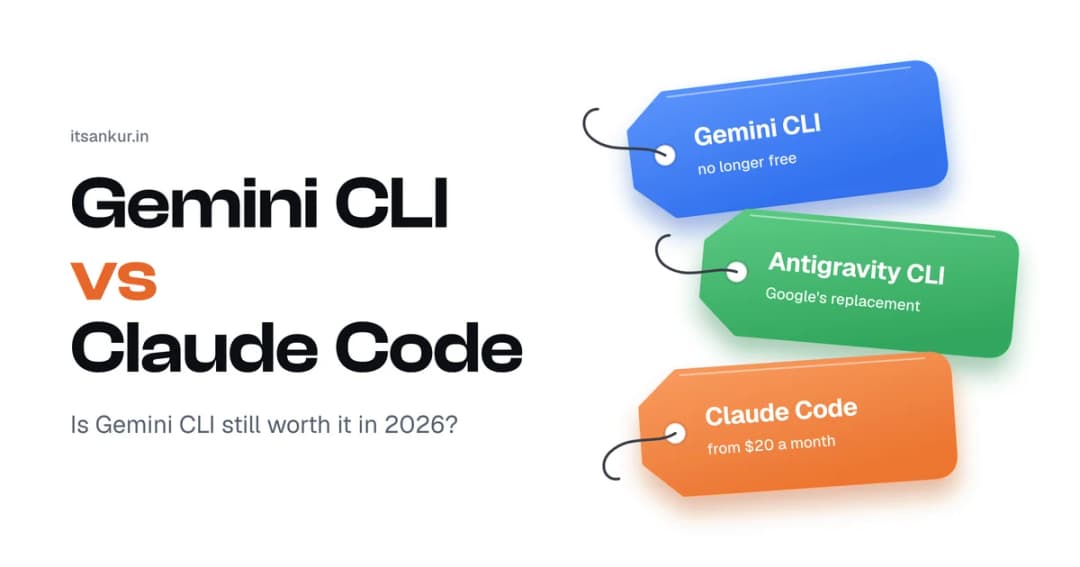
So the real comparison today has three options: Gemini CLI, its replacement Antigravity CLI, and Claude Code. This guide explains each one in simple words, what it costs, and which one to pick.
Quick summary
- Gemini CLI now needs a paid Gemini API key or a Gemini Code Assist licence. The free Google login no longer works.
- Antigravity CLI is Google's new terminal tool. It has a free plan, but with smaller limits than old Gemini CLI.
- Claude Code has no free plan. It starts at $20/month.
- Pick Antigravity CLI if you want free. Pick Gemini CLI if you want open source and pay-per-use. Pick Claude Code for big, complex coding tasks.
Quick verdict
| If you want… | Pick this |
|---|---|
| A free terminal coding tool | Antigravity CLI |
| An open-source tool you pay for only when you use it | Gemini CLI (with an API key) |
| The strongest tool for big, multi-step coding tasks | Claude Code |
| A tool your company already pays for through Google Cloud | Gemini CLI (with Code Assist) |
What happened to Gemini CLI?
Gemini CLI launched in 2025 and became popular because it was open source and had a very generous free plan. In 2026, Google decided to bring its developer tools together under one name: Antigravity.
Here's the simple timeline:
- May 19, 2026: At Google I/O, Google announced Antigravity CLI as the replacement for Gemini CLI.
- June 18, 2026: Gemini CLI stopped working for free users and Google AI Pro and Ultra subscribers.
- Today: Gemini CLI still works for people who use a paid Gemini API key or a Gemini Code Assist Standard or Enterprise licence. Google says it will keep updating Gemini CLI with the latest Gemini models for these users (Google Developers Blog).
Good to know: if you search for "Gemini CLI free", many older guides still say it's free. That information is now out of date.
What is each tool?
Gemini CLI
Gemini CLI is Google's original AI coding tool for the terminal. You type what you want, and it reads your project, writes code and runs commands. It is open source, which means anyone can see and change its code. It now works only with a paid Gemini API key or a company licence.
Antigravity CLI
Antigravity CLI is Google's new terminal tool, and you start it with the command agy. It's rebuilt in the Go programming language, so it starts faster than Gemini CLI. It keeps the main Gemini CLI features, including skills, hooks, subagents and plugins (which used to be called extensions) (Gemini CLI on GitHub). Unlike Gemini CLI, it is not open source.
Claude Code
Claude Code is Anthropic's AI coding tool. It works in the terminal, in VS Code and JetBrains, in a desktop app and on the web. It reads your whole project, makes a plan, edits files and runs tests. It's known for handling large, multi-step tasks. It is not open source.
Comparison table
| Gemini CLI | Antigravity CLI | Claude Code | |
|---|---|---|---|
| Made by | Anthropic | ||
| Command | gemini |
agy |
claude |
| Free plan | No (for personal use) | Yes, with smaller limits | No |
| How you pay | Per use with an API key, or a company licence | Google AI plan | Monthly plan |
| Starting price | Pay per use | Free, or $19.99/month | $20/month |
| Open source | Yes | No | No |
| Main models | Gemini | Gemini, plus some Claude and open models | Claude |
| Skills, hooks, subagents | Yes | Yes | Yes |
| Works in VS Code / JetBrains | Through Code Assist | Through the Antigravity editor | Yes |
Prices as of early October 2026. Check official pages before you buy.
Head-to-head comparison
1. Price
Gemini CLI: you pay for what you use through a Gemini API key. For example, Gemini 3.8 Flash costs $0.75 per million input tokens and $3.75 per million output tokens, and Google says these Flash rates will double on January 1, 2027 (Maxim). Companies can instead buy Gemini Code Assist Standard at $19 per user per month on a yearly plan, or $22.80 per month (DevAI Reviews).
Antigravity CLI: free to start. For higher limits, you upgrade to Google AI Pro at $19.99/month or Google AI Ultra from $99.99/month (Developers Digest).
Claude Code: Pro is $20/month, and Max is $100 or $200/month for more usage (Fello AI).
Winner: Antigravity CLI for free use. Gemini CLI if you use it only now and then, because you pay only for what you use.
2. Setup
Gemini CLI: install it, then add your Gemini API key as an environment variable.
Antigravity CLI: install it with one command, then sign in with your Google account. It can copy your old Gemini CLI settings automatically during setup (Gemini CLI on GitHub).
Claude Code: install it, then sign in with your Claude account or an Anthropic API key.
Winner: Antigravity CLI, especially if you're moving from Gemini CLI.
3. Open source
Gemini CLI is the only open-source option of the three. You can read the code, change it and run it however you like.
Many developers were unhappy that the replacement, Antigravity CLI, is not open source (Agentpedia). Claude Code is also closed source.
Winner: Gemini CLI.
4. Features
All three have the main features you'd expect from a modern coding agent:
- Skills: reusable instructions the AI loads when it needs them.
- Hooks: small scripts that run automatically before or after the AI does something.
- Subagents: helper AIs that work on parts of a task in parallel.
- MCP support: a standard way to connect the AI to other tools and data.
What makes each one different:
- Antigravity CLI shares one engine with the Antigravity desktop app, so you can move a session between the terminal and the app (DEV Community).
- Claude Code has a "plan mode" that shows what it will do before changing any code, and you can customise it in depth with plugins and hooks.
- Gemini CLI is the simplest of the three and easy to adapt because it's open source.
Winner: Tie. All three cover the basics well.
5. Speed vs. depth
In one hands-on review, Antigravity CLI felt faster and offered more features, while Claude Code was stronger on complex tasks and building things from scratch (StackNova).
Winner: Antigravity CLI for speed. Claude Code for hard, multi-step work.
Which one should you choose?
Choose Antigravity CLI if:
- You want a free terminal coding tool.
- You used Gemini CLI before and want the easiest switch.
- You also use the Antigravity desktop app.
Choose Gemini CLI (with an API key) if:
- You want an open-source tool.
- You only code with AI now and then, so paying per use is cheaper than a monthly plan.
- Your company already has a Gemini Code Assist licence.
Choose Claude Code if:
- You work on large or complex projects.
- You want the AI to plan carefully before making changes.
- You're happy to pay $20/month or more.
Comparing Claude Code with OpenAI's tool instead? Read our Codex vs Claude Code comparison. Want to see all the options? Read Best AI Coding Assistants in 2026.
How to move from Gemini CLI
If Gemini CLI stopped working for you, you have three simple options.
Option 1: Switch to Antigravity CLI (free). Install it from antigravity.google, sign in with Google, and your Gemini CLI settings will be copied over. If you have old Gemini CLI extensions, run agy plugin import gemini to bring them across (Toolsbase).
Option 2: Keep Gemini CLI with an API key. Create an API key in Google AI Studio, then set it in your terminal:
export GEMINI_API_KEY="your-api-key-here"You'll now pay per use instead of using the old free plan.
Option 3: Switch to Claude Code. Sign up for Claude Pro ($20/month), install Claude Code and sign in. If your project has a GEMINI.md instructions file, copy the useful parts into a CLAUDE.md file so Claude Code knows your project's rules.
Frequently asked questions
Is Gemini CLI still free?
No, not for personal accounts. Since June 18, 2026, Gemini CLI only works with a paid Gemini API key or a Gemini Code Assist Standard or Enterprise licence. Google's free option is now Antigravity CLI.
Is Gemini CLI shut down?
Not completely. It stopped working for free users and Google AI Pro and Ultra subscribers on June 18, 2026. It still works with paid API keys and company licences, and Google is still updating it for those users.
What replaced Gemini CLI?
Antigravity CLI, started with the command agy. Google announced it at Google I/O on May 19, 2026.
Is Antigravity CLI better than Claude Code?
It depends. Antigravity CLI is free to start and feels faster. Claude Code is generally stronger on large, complex tasks but starts at $20/month.
Is Claude Code free?
No. Claude Code needs a paid Claude plan (Pro starts at $20/month) or an Anthropic API key.
Is Antigravity CLI open source?
No. Gemini CLI is open source, but its replacement, Antigravity CLI, is not.
Can I use Gemini models in Claude Code?
Not directly. Claude Code is built for Claude models. If you want to use Gemini models in the terminal, use Gemini CLI or Antigravity CLI.
Final verdict
Gemini CLI vs Claude Code looked like an easy choice when Gemini CLI was free. In 2026, things have changed:
- Want free? Use Antigravity CLI.
- Want open source and pay per use? Use Gemini CLI with an API key.
- Want the strongest tool for complex coding? Use Claude Code.
If you're unsure, start with Antigravity CLI because it's free. If you hit its limits or need more power on big tasks, try Claude Code Pro for a month and compare.
About the author: Ankur Saini is a backend developer in Chandigarh building the systems behind AI agents at YourGPT.ai and MCP360.ai. He works mainly with Node.js, Redis, MySQL and MongoDB.
Sources
- An important update: Transitioning Gemini CLI to Antigravity CLI – Google Developers Blog
- Gemini CLI has stopped serving requests for individual accounts – Gemini CLI GitHub
- Transitioning Gemini CLI to Antigravity CLI – Gemini CLI GitHub
- Gemini CLI Pricing (2026) – Tembo
- Gemini Code Assist pricing – DevAI Reviews
- Gemini API Pricing in 2026 – Maxim
- Antigravity CLI: A Hands-On Guide – DEV Community
- Google Antigravity CLI Review – StackNova
- Antigravity CLI command reference – Toolsbase
- AI Coding Tools Pricing Comparison 2026 – Developers Digest
- Claude Code Pricing 2026 – Fello AI