AWS Lambda Web Functions let you run a normal web server on Lambda. Your Express, Hono, Fastify or Next.js app listens on a port the way it does on your laptop, and Lambda gives it an HTTPS URL, scales it with traffic and shuts it down to zero when nobody is using it. One running copy of your app can serve up to 128 requests at the same time.
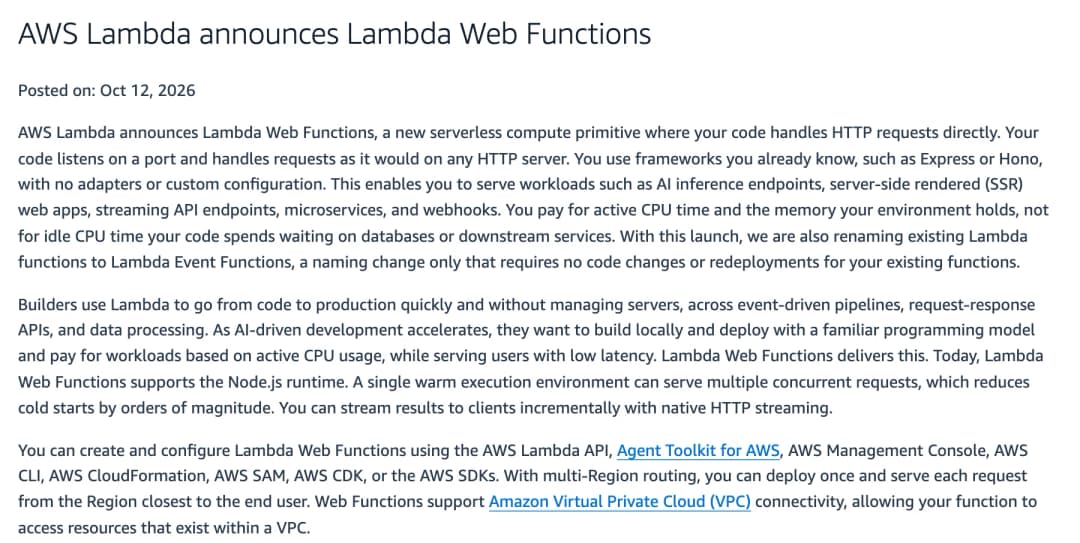
AWS launched Web Functions on October 12, 2026, and on the same day it renamed every existing Lambda function an "Event Function". I build backends for a living, and until now running an Express API on Lambda meant an adapter, an API Gateway or function URL in front, and a function that handled one request at a time. This launch removes all of that. In this post I'll explain how Web Functions work, how they differ from the Lambda you know, what they cost, how to deploy one and which limits to check before you move an app. Everything here comes from AWS's announcement, docs and pricing page, which I checked on October 19, 2026.
What are AWS Lambda Web Functions?
AWS Lambda Web Functions are Lambda functions that receive HTTP requests directly. Your code starts an HTTP server, listens on the address Lambda gives it, and handles requests with your framework's normal routing and middleware. AWS describes it as "a new form factor that lets you run standard HTTP web applications on Lambda without rewriting your code into an event handler" (AWS News Blog).
That's a real change from how Lambda has worked since 2014. A classic Lambda function exports a handler that receives an event object and returns a result. To serve a web app from it, you put API Gateway or a function URL in front and wrap your app in an adapter, such as serverless-http or the AWS Lambda Web Adapter, that turns events into HTTP requests. Each execution environment then handles one request at a time.
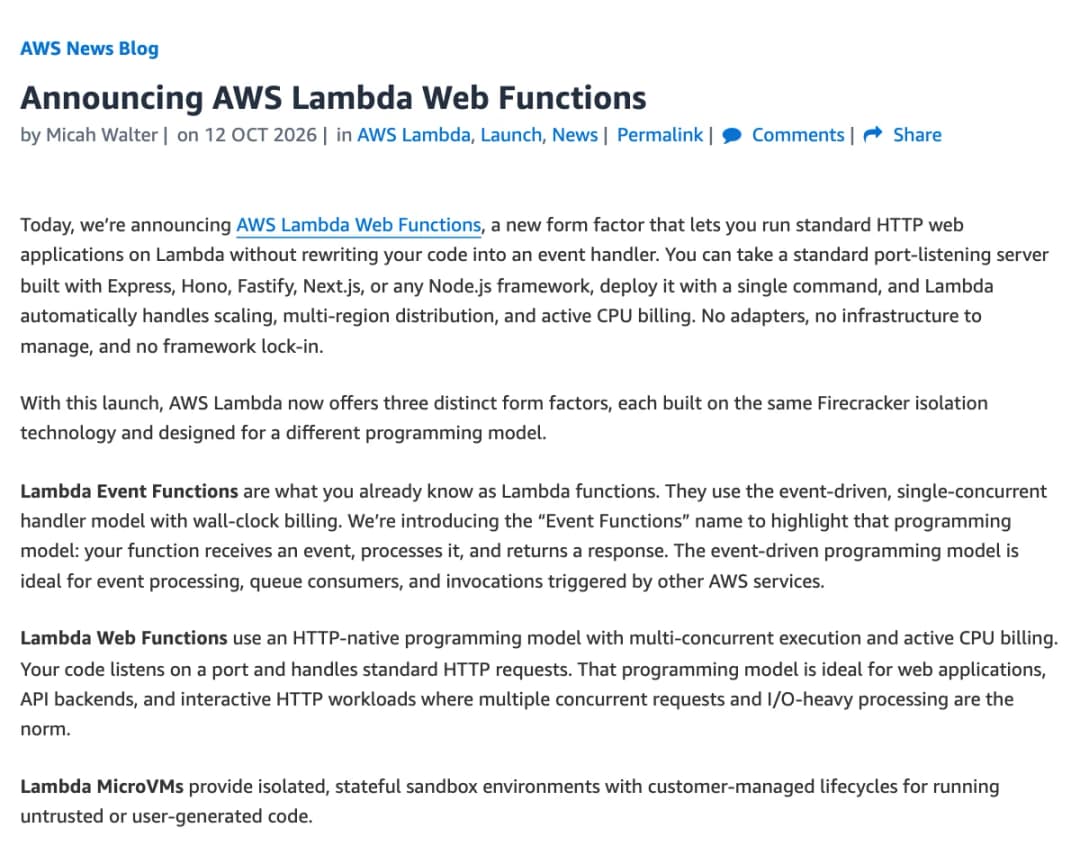
With this launch, Lambda has three form factors, all built on the same Firecracker isolation:
- Event Functions: the Lambda functions you already know, under a new name. One request per environment, billed by wall-clock duration. They're still the right choice for queues, S3 events and other AWS triggers.
- Web Functions: an HTTP server that handles many requests per environment, billed by active CPU time.
- MicroVMs: isolated, stateful sandboxes with a lifecycle you control, meant for running untrusted or user-generated code.
How Lambda Web Functions work
A Web Function has three moving parts, and once you know them the rest of the docs make sense.
- Revision: an immutable snapshot of your code and configuration. Every deploy creates a new one, which makes rollbacks simple.
- Endpoint: the HTTPS URL. It sends traffic to one revision, or splits it between two for a canary release. A Web Function can have up to 10 endpoints.
- Execution environment: an isolated copy of your running server with 2 vCPUs and 2 GB of memory. Lambda adds and removes environments as traffic changes.
When Lambda starts a new environment, it loads your .zip package, starts Node.js and runs your entry file, which is index.js by default. Your server must start listening on the host and port in the AWS_LAMBDA_HTTP_ENDPOINT environment variable within 10 seconds. From then on the environment takes requests until Lambda removes it. Before removing one, Lambda stops sending it new requests, lets in-flight requests finish on a best-effort basis and sends SIGTERM. Your process then has 1 second to clean up.
Because an environment lives across many requests, whatever you set up at startup stays around. Database connection pools, in-memory caches and files in /tmp survive between requests. Lambda can still remove an environment at any time, so anything that matters belongs in a database or S3. Lambda also handles TLS for you: the endpoint only accepts HTTPS, and your app serves plain HTTP inside the environment.
One environment, many requests
This is the part I find most interesting, because it's how a normal Node.js server already behaves. Node handles many requests on one event loop: while one request waits for a database, the loop serves the others. Classic Lambda never let you use that, because each environment got exactly one request at a time.
Web Functions send many requests to each environment, and Lambda manages the limit per environment. A new function starts with a conservative limit, and Lambda raises it as it learns how much CPU and memory your app uses. It keeps what it learned even after the function scales to zero. You only set the upper bound, maxConcurrencyPerEnvironment, which defaults to 64 and goes up to 128. AWS's announcement says this "reduces cold starts by orders of magnitude", because a warm environment can absorb new requests instead of each one needing its own.
AWS's compute blog shows what that looks like. In their test, 300 streaming requests with up to 200 open at once ran on 5 environments, and the busiest one held 59 connections. An Event Function would have needed up to 200 environments for the same load (AWS Compute Blog).
There's a catch you should know as a Node developer. All those requests share one event loop, so CPU-heavy synchronous work, like parsing a huge JSON file, blocks every other request in that environment. Per-request data also can't live in global variables anymore, because the next request may read it. AWS suggests moving heavy work to worker threads, or lowering maxConcurrencyPerEnvironment.
Lambda Web Functions vs Event Functions
Both now live under the Lambda name, so here is how they compare side by side. Everything in this table comes from the Lambda docs and the pricing page.
| Event Functions | Web Functions | |
|---|---|---|
| Your code | A handler that receives an event | An HTTP server listening on a port |
| Requests per environment | One at a time | Many: 64 by default, up to 128 |
| How it's called | Events from AWS services, or HTTP through API Gateway or a function URL | HTTPS requests to its own endpoint |
| Billing | Requests, plus duration multiplied by the memory you configure | Requests, active CPU time, memory used over the environment's life, data transfer |
| Languages | Node.js, Python, Java, .NET, Ruby and custom runtimes | Node.js 24 only |
| Memory | 128 MB to 10,240 MB, your choice | Fixed at 2 GB, with 2 vCPUs |
| Longest request | 15 minutes | 15 minutes (timeout of 3 to 900 seconds, default 30) |
| Package size | 50 MB zipped for direct upload, 250 MB unzipped | 512 MB unzipped, uploaded from S3 |
| Free tier | 1 million requests and 400,000 GB-seconds a month | Not mentioned on the pricing page |
Event Functions aren't going anywhere. AWS's docs still point you to them for event-driven work, like queue messages and file uploads, and for any language other than Node.js. Web Functions are only for code that answers HTTP requests.
Do you still need the Lambda Web Adapter?
For a Node.js app on Web Functions, no. The runtime docs say you don't need the AWS Lambda Web Adapter or any other event-to-HTTP adapter, because your server handles HTTP directly. The adapter is still useful for web apps in other languages, which have to stay on Event Functions for now.
Lambda Web Functions pricing
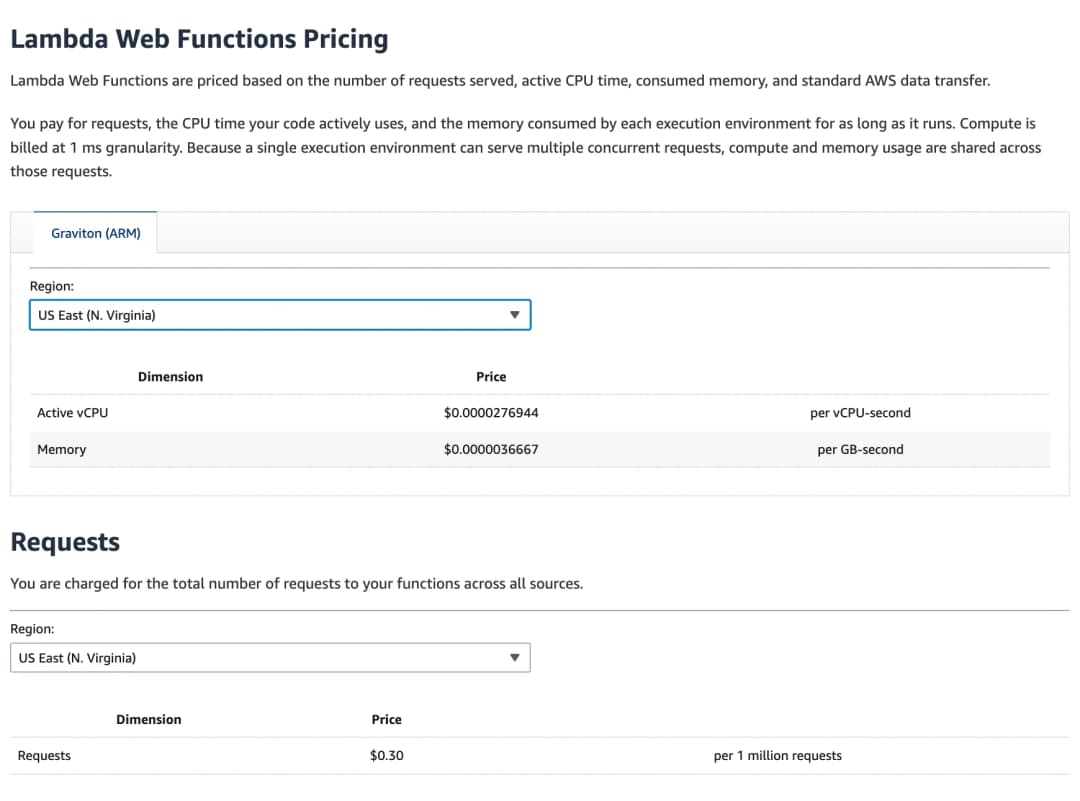
Pricing is where Web Functions differ most from the Lambda you know, so it's worth reading slowly. You pay for four things: requests, the CPU time your code actively uses, the memory each environment consumes for as long as it runs, and standard AWS data transfer. Compute is billed per millisecond.
| What you pay for | Price in US East (N. Virginia), Arm |
|---|---|
| Requests | $0.30 per million |
| Active CPU | $0.0000276944 per vCPU-second |
| Memory | $0.0000036667 per GB-second |
| Data transfer | Standard AWS data transfer rates |
Two details change how you should think about cost. First, waiting is almost free on the CPU side. A request that waits two seconds for a database or an LLM uses very little CPU while it waits, and AWS doesn't bill idle CPU. Second, memory works the other way. You pay for the memory an environment consumes for its whole life, "including time between requests", in the pricing page's words. Because environments are shared, both costs are spread across every request running in them.
AWS's pricing page includes four worked examples. Each assumes one environment serving all the traffic for a full month, and none of them includes the free tier or data transfer.
| Workload | Requests a month | Active CPU per request | Memory used | Monthly cost |
|---|---|---|---|---|
| Server-side rendered web app | 15 million | 40 ms | 0.49 GB | $25.78 |
| API backend that mostly waits on I/O | 10 million | 50 ms | 0.29 GB | $19.61 |
| Authorization middleware | 100 million | 12 ms | 0.14 GB | $64.56 |
| LLM streaming endpoint | 5 million | 200 ms of a 3-second request | 0.50 GB | $33.94 |
The LLM row shows the idea best. Each request stays open for 3 seconds, but the CPU charge only covers the 200 ms of actual work.
When Web Functions cost more than Event Functions
The memory rule cuts the other way for small apps. An environment keeps billing for memory while it waits for the next request, and the docs don't say how long Lambda keeps an idle environment before removing it. An Event Function costs nothing between requests and comes with a free tier. So for a side project that gets a few hundred requests a day, I'd expect a classic Event Function to stay cheaper. Classmethod came to the same conclusion in their hands-on test on launch week (Classmethod).
If you do try Web Functions on a hobby project, the scaling docs suggest a low maxEnvironments on the endpoint to cap what it can spend. Prices also differ by Region, so check the pricing page for yours.
How to deploy your first Lambda Web Function
Here is the whole path from nothing to a live URL with the AWS CLI. You'll need AWS CLI version 2 in a release that includes the lambda-web commands (run aws lambda-web help to check), credentials for your AWS account, and Node.js 24 if you want to run the app locally.
1. Try the starter app
The quickest test is the built-in starter:
aws lambda-web deploy --name my-web-app --hello-worldThis writes a small TypeScript server to ./my-web-app, deploys it and prints a URL like https://bcdfghjklmnpqrst.b7t.lambda-web.us-east-1.on.aws. In Classmethod's test, a deploy like this took about 25 seconds. The starter folder also comes with an AGENTS.md, the instructions file that coding agents like Codex read; I compared Codex with Claude Code in Codex vs Claude Code. One warning: this endpoint is public by default. Add --auth-type IamAuth if you only want signed requests to get through.
2. Point your own app at Lambda's address
For your own app, the one code change is where the server listens. Lambda passes the host and port in AWS_LAMBDA_HTTP_ENDPOINT, and you fall back to a local address when it isn't set. This is AWS's minimal Express sample:
const express = require('express');
const app = express();
const [host, port] = (process.env.AWS_LAMBDA_HTTP_ENDPOINT || 'localhost:3000').split(':');

app.get('/', (request, response) => {
  response.send('Hello from Lambda Web Functions!');
});

app.listen(port, host);
Three things to get right before you deploy:
- The entry file. Lambda runs
index.jsat the root of the package. If yours is somewhere else, likedist/index.js, setAWS_LAMBDA_NODEJS_ENTRYPOINTto that path. Lambda doesn't read the entry point frompackage.json. - Dependencies. The package must include
node_modules, and the deploy command doesn't install them for you. Runnpm ci --omit=devfirst. - The exact address. Bind to the host and port from the variable, never a hard-coded port. Lambda doesn't check that your server is listening when it creates a revision, so a wrong port shows up as an "Active" revision whose requests all fail.
3. Deploy it
aws lambda-web deploy --name my-web-app --code ./my-web-appOn the first run, this creates a versioned S3 bucket for your packages, an IAM execution role with CloudWatch Logs access, the Web Function with its first revision, and an endpoint named dev. Each later run uploads a new revision, and the dev endpoint switches to it automatically once it's active. The URL stays the same. In a CI pipeline, add --create so the command doesn't stop to ask for confirmation.
4. Roll out changes safely
The dev endpoint is fine for testing. For production, the docs recommend an endpoint with automatic deployment turned off, so a new revision gets no traffic until you give it some. You then shift traffic with revision weights, for example 90% on the current revision and 10% on the new one, using aws lambda-web update-web-function-endpoint. An endpoint can split traffic between at most two revisions.
5. Clean up
aws lambda-web delete-web-function --function-name my-web-appThis deletes the function with its revisions and endpoints. It leaves the IAM role, the packages in the S3 bucket and the CloudWatch log groups, so delete those yourself if you don't need them.
Running Next.js on Lambda Web Functions
Next.js needs one extra step. In standalone mode, Next.js reads its listen address from its own HOSTNAME and PORT variables, so AWS's docs say to use an index.js that copies them from AWS_LAMBDA_HTTP_ENDPOINT before starting the server. The docs don't show that file, so here is my version of it:
// index.js: hand Lambda's address to the Next.js standalone server
const [host, port] = (process.env.AWS_LAMBDA_HTTP_ENDPOINT || 'localhost:3000').split(':');
process.env.HOSTNAME = host;
process.env.PORT = port;
require('./server.js');
Set output: 'standalone' in next.config.js and build. Put this file next to the generated server.js in .next/standalone, and copy public and .next/static into that folder before you zip it, as the Next.js docs describe. I haven't measured a large Next.js app on Web Functions, so test cold starts with your own app before you switch.
Multi-Region endpoints, custom domains and access control
Once your app works, the endpoint settings decide who can reach it and from where. There are three endpoint types, and you pick one when you create the endpoint. You can't change the type or its Regions later; you'd create a new endpoint and move your traffic to it.
- HomeRegion: runs in one Region with a regional domain. The deploy command creates this type.
- MultiRegion: runs in several Regions behind one global domain, such as
bcdfghjklmn.lambda-web.global.on.aws. Lambda copies your code and settings to each Region and sends each request to the Region that usually has the lowest latency for the caller. It doesn't fail over based on health. - PerRegion: runs in several Regions, but each Region gets its own domain and you handle the routing yourself, with Route 53 or CloudFront.
Creating a multi-Region endpoint looks like this:
aws lambda-web create-web-function-endpoint \
    --function-name my-web-app \
    --endpoint-name my-global-endpoint \
    --endpoint-type MultiRegion \
    --regions us-east-1 eu-west-1 ap-northeast-1 \
    --auth-type ApplicationManaged \
    --revision-weights '[{"revisionId": "rev-a1b2c", "weight": 100}]'
AWS's compute blog gives a feel for the difference. From a laptop in the UK, a single-Region endpoint in us-east-1 answered in 90 ms, while the global endpoint sent the request to a European Region and answered in 16 ms. AWS calls that a single measurement, not a benchmark.
For access control, each endpoint uses one of two auth types. ApplicationManaged forwards every request and leaves authentication to your app. IamAuth makes Lambda check the AWS signature on each request (SigV4, or SigV4a for MultiRegion endpoints) and only lets callers with the lambda:InvokeWebFunctionEndpoint permission through. Each endpoint can also cap its traffic: rateLimit sets the requests per second, and maxEnvironments sets how many environments can run in each Region. Requests over the limit get an HTTP 429 straight away instead of waiting in a queue.
Custom domains go through CloudFront. You can't attach your own domain to an endpoint, so you put a CloudFront distribution in front and use the endpoint's domain as the origin. CloudFront added Web Functions as an origin on launch day, with origin access control, so the function only accepts traffic that comes through your distribution (AWS). The same setup gives you caching for static files and AWS WAF.
Lambda Web Functions limits to check first
These are the limits I'd check first, because any one of them can rule out an existing app. They all come from the Web Functions docs and the Lambda quotas page.
- Node.js 24 on Arm64 only. Native npm modules must be built for Linux on Arm64.
- 2 vCPUs and 2 GB per environment, fixed. The default V8 heap is 1,024 MB. You can raise it with
NODE_OPTIONS=--max-old-space-size=1536. - 10 seconds to start listening. Move slow startup work to after the server is up.
- A request timeout of 3 to 900 seconds, 30 by default. For a streamed response, the timeout covers the whole stream, and the client gets a cut-off body when it runs out.
- HTTP/1.1 only, and no WebSockets. Server-sent events work, but WebSocket upgrades don't.
- Up to 128 KiB of request headers.
- A 512 MB package (unzipped) and 512 MB of
/tmp. - No minimum environments. Every endpoint scales from zero, so the first request after a quiet period waits for a cold start. Once traffic flows, Lambda keeps some spare capacity ready.
- No session affinity. Requests from one user can land on different environments, so keep sessions in a database or cache.
- VPC access only on HomeRegion endpoints, and no private access to endpoints through AWS PrivateLink.
- Account quotas in each Region: 2,000 Arm64 vCPUs (1,000 environments), 10,000 requests per second per endpoint and 100,000 per account. New accounts start lower, and AWS raises them as you use the service.
- Five Regions at launch.
Should you move your app to Lambda Web Functions?
After going through all of this, here is where I land. Web Functions fit one kind of app very well, and for the rest, Event Functions or something else is still the better choice.
They're a good fit if:
- You run an Express, Fastify, Hono or Koa API that spends most of its time waiting on databases and other APIs.
- You serve server-side rendered pages or stream LLM responses, where requests stay open but use little CPU.
- You already run a web app on Lambda through an adapter and want to drop it.
- You want low latency in several Regions without running a load balancer in each one.
I'd wait, or pick something else, if:
- Your backend isn't written in Node.js.
- You process queues, S3 uploads or scheduled jobs. That's what Event Functions are for.
- You need WebSockets, more than 2 GB of memory, or private access through PrivateLink.
- Your app does heavy CPU work on every request, since all requests in an environment share one event loop.
- It's a side project with little traffic, where an Event Function and the free tier will likely cost less.
Frequently asked questions
These are the questions I expect people to ask about Lambda Web Functions, with short answers.
What are AWS Lambda Web Functions?
They're Lambda functions that run a standard Node.js HTTP server. Your app listens on a port, and Lambda provides the HTTPS endpoint, the scaling and the multi-Region routing.
When did AWS launch Lambda Web Functions?
AWS launched them on October 12, 2026.
What are Lambda Event Functions?
Event Functions is the new name for classic Lambda functions. AWS says it's a naming change only, with no code changes or redeployments needed.
How many requests can one Lambda Web Function environment handle?
Up to 128 at the same time. The default upper limit is 64, and Lambda adjusts the actual limit to how much CPU and memory your app uses.
How much do Lambda Web Functions cost?
In US East (N. Virginia), $0.30 per million requests, $0.0000276944 per vCPU-second of active CPU and $0.0000036667 per GB-second of memory, plus data transfer.
Do Lambda Web Functions scale to zero?
Yes. With no traffic, Lambda runs no environments, and the next request waits for a cold start.
Which languages do Lambda Web Functions support?
Only Node.js, on the nodejs24.x runtime and Arm64.
Do I need the Lambda Web Adapter with Web Functions?
No. Web Functions run your HTTP server directly, without an adapter.
Can I use a custom domain with Lambda Web Functions?
Yes, through Amazon CloudFront. Endpoints don't accept a custom domain directly.
Do Lambda Web Functions support WebSockets?
No. Server-sent events and streamed responses work, but WebSocket upgrades aren't supported.
Is there a free tier for Lambda Web Functions?
The pricing page doesn't mention one. Its Web Functions examples leave the free tier out, and the free tier it describes belongs to Event Functions.
My take on Lambda Web Functions
Web Functions fix what always made Lambda awkward for web apps: one request per environment and the glue code around it. Your app stays a normal Node.js server that runs the same way on your laptop and in production, which also makes it easier to move off Lambda later if you ever need to.
Before you move anything, test it with your own traffic. Deploy the starter, then your real app on a HomeRegion endpoint with a low maxEnvironments, and compare the bill and the cold starts with what you run today. And if you write your backend with an AI coding agent, my guide to the best AI coding assistants covers the tools I'd pair with it.
Sources
Checked on October 19, 2026. Prices are for US East (N. Virginia) on Arm.
- AWS Lambda announces Lambda Web Functions – AWS What's New, October 12, 2026
- Announcing AWS Lambda Web Functions – AWS News Blog, Micah Walter
- Exploring AWS Lambda Web Functions for building web applications – AWS Compute Blog, Julian Wood, Kim Wendt and Samrat Karak
- AWS Lambda Web Functions – Lambda Developer Guide, including the pages on scaling, the execution environment lifecycle, runtimes, endpoints, creating a Web Function and sample applications
- Lambda quotas – Lambda Developer Guide
- AWS Lambda pricing – AWS
- Amazon CloudFront now supports AWS Lambda Web Functions as an origin – AWS What's New
- I tried out Lambda Web Functions, which became GA, in the Tokyo region – Classmethod DevelopersIO
- output: standalone – Next.js docs